GUI Frameworks
Overview
Several graphical user interface frameworks were tested on the BE-300's 320x240 16-bit color display. The primary challenge was fitting a usable GUI into the limited RAM (16 MB shared with the kernel and ramdisk) while providing text input through the device's minimal hardware buttons.
PicoGUI
PicoGUI was the primary GUI framework used by the Linux4.BE project. It is a lightweight client-server windowing system designed for embedded devices with small displays and limited input.
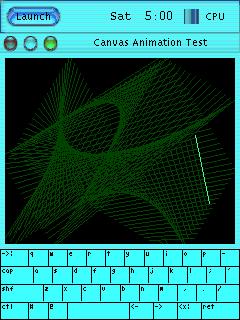
The vmlinux-pgui-demo kernel is the reference build, confirmed to boot to a working PicoGUI desktop on real hardware. The ramdisk ramdisk-pgui-full.gz contains the full PicoGUI environment.
Features demonstrated on the BE-300:
- Desktop with window management
- Virtual keyboard for text input
- Terminal emulator
- Demo applications
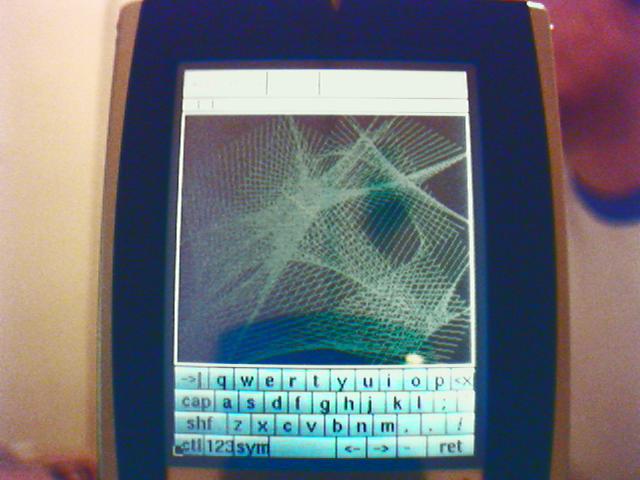
Text input used the Rocket button combined with the directional pad to cycle through and select characters. See the Getting Started page for the complete button mapping.
MicroWindows / Nano-X
MicroWindows (also known as Nano-X) is another lightweight embedded GUI framework. The vmlinux-mw kernel build includes MicroWindows support. It provides a basic windowing system with drawing primitives, font rendering, and input handling.
X Window System
The X Window System was successfully tested on the BE-300, demonstrating that even a full X server could run on the device's limited hardware.
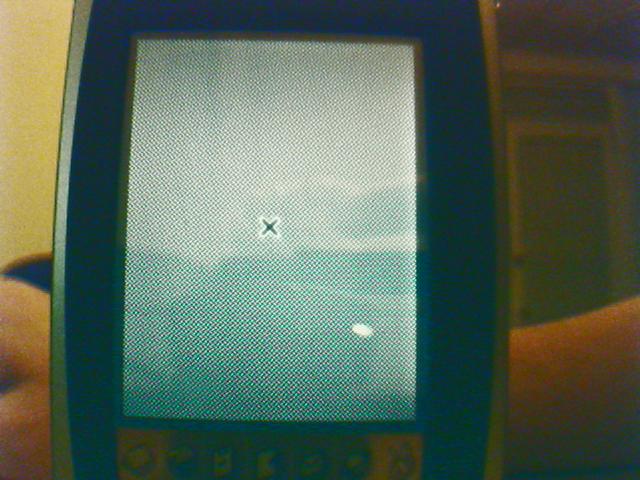
While functional, X was heavier than PicoGUI or MicroWindows and left less free RAM for applications.
Qt/Embedded
A Qt/Embedded build was available (vmlinux-qte). Qt/Embedded (later renamed Qt for Embedded Linux) runs without an X server, drawing directly to the Linux framebuffer. It provides a richer widget set than PicoGUI or MicroWindows at the cost of higher memory usage.
OPIE
OPIE (Open Palmtop Integrated Environment), a fork of the Qtopia/QPE environment originally developed for the Sharp Zaurus, was considered as a future direction for the project. OPIE would have provided a complete PDA-style interface including a calendar, contacts, and file manager. This was not completed before the project wound down.
Input Handling
All GUI frameworks relied on the BE-300's hardware buttons for input. The button keyboard driver (contributed by jal0) mapped the physical buttons to key events. The Rocket button acted as a modifier key, enabling character-by-character text entry through a cycling selection mechanism.